Event check-in & badge printing
A better welcome starts here
Scan a guest’s QR code, confirm their arrival and print a name badge at the desk. Give your team one workflow for every guest, including walk-ins.
At the arrival desk
Three ways to check guests in
Use the route that fits the guest in front of you.
Scan the guest’s event pass
Open Scanner on the iPad and scan the QR code from the guest’s phone. With auto check-in enabled, a successful scan records their arrival for the selected session.
Look up a guest by name
Search the registration list, select the matching guest and confirm check-in. Staff can use the same workflow when a guest arrives without their QR code.
Register a walk-in at the desk
Open the walk-in form, enter the guest’s details and save the record. The team can also track plus-ones alongside registered guests.
Inside the iPad check-in app
App screenshots with demo guest details.
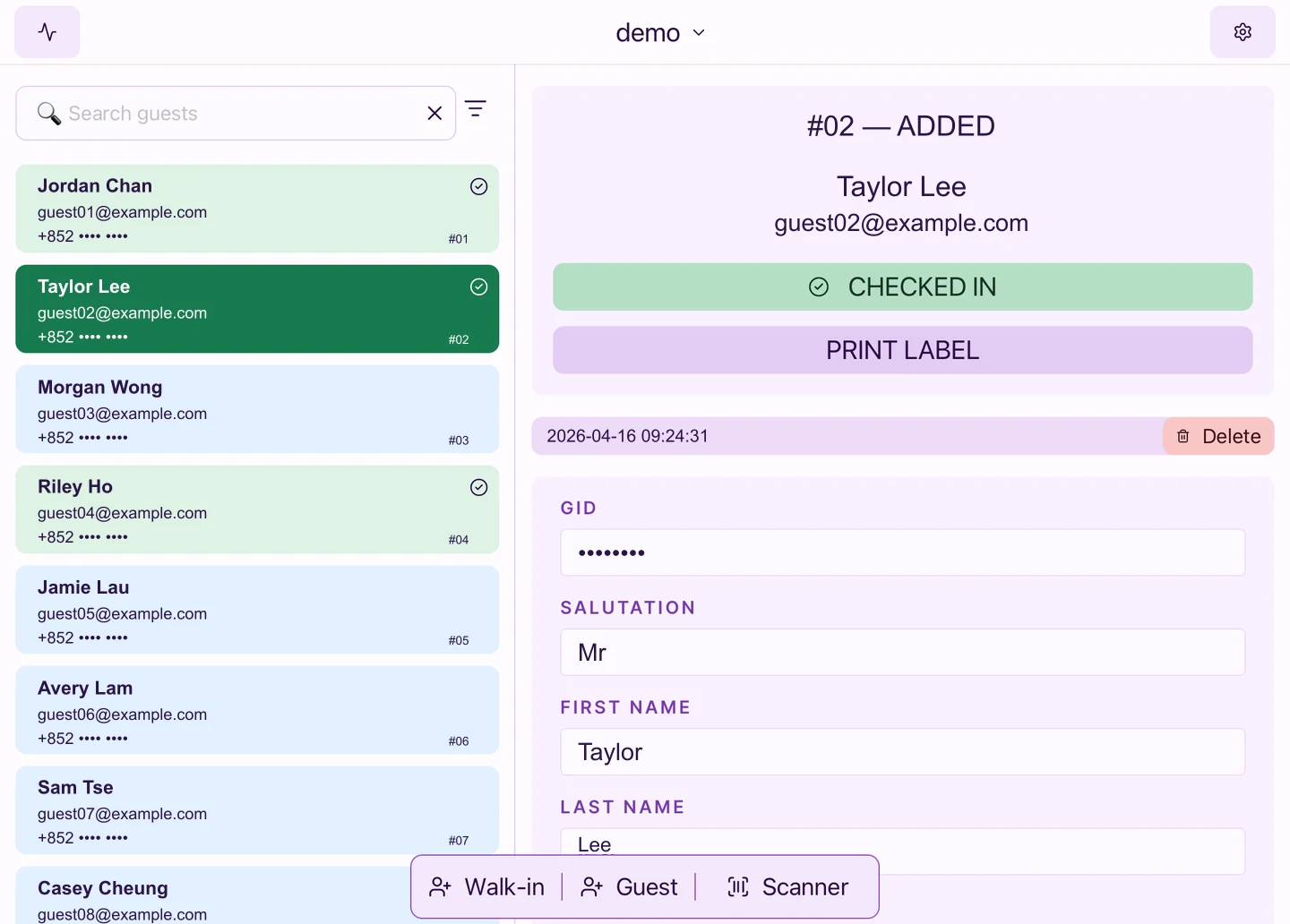
Checked in and ready to print
Staff can see that the guest has arrived and print a name badge from the same record.
Onsite footage
See a scan at the desk
Watch event staff use an iPad to scan a guest’s pass from their phone.
On-demand name badges
Print a badge as guests arrive
Prepare your badge templates ahead of time and connect a compatible label printer at the counter. Staff can print from the guest record at check-in.
Explore iPad and printer rental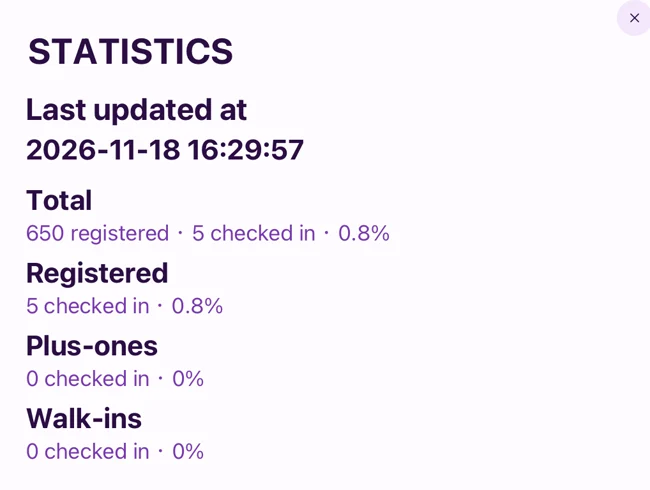
Attendance by session
See who’s arrived
See totals for registered guests, plus-ones and walk-ins on the iPad. In the dashboard, review check-in history and export records for each session.
Let’s set up your arrival desk
Tell us your guest count, session schedule and badge needs. We’ll help you plan the check-in workflow and hardware for the venue.